


A chatbot that can't touch your systems is a search box with manners. The demos that impress leadership — "it answered our policy question!" — involve none of the hard work. The value shows up when the assistant can look up this customer's order in the ERP, check their ticket history in the CRM, and take an action: schedule, update, escalate, refund. That integration layer is where AI chatbot projects actually succeed or stall, and it's rarely discussed honestly. Here's the field guide.
Integrating AI chatbots with your CRM and ERP: the part that decides everything
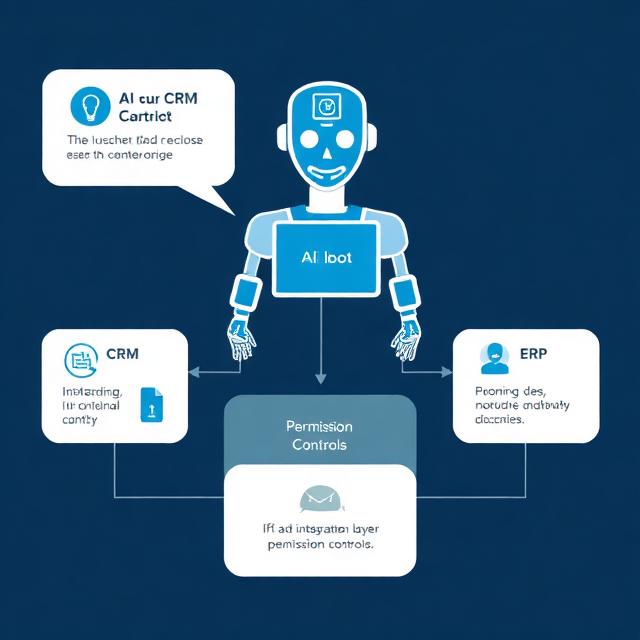
Read before write
Integration maturity comes in stages, and skipping stages is how projects blow up. Stage one is read-only: the assistant can look up order status, account details, ticket history — grounded, personalized answers with zero risk of corrupting data. Stage two is write-with-review: the assistant drafts the CRM update or the refund action, a human approves. Stage three is autonomous writes for a narrow, well-tested set of actions with full audit logging. Most deployments should live at stages one and two far longer than their roadmaps admit; the trust to reach stage three is earned from production data, not projected from a demo.
The API question decides your budget
Before any vendor conversation, answer one question per system: does it have a usable API? Modern CRMs generally do. ERPs are a lottery — some expose clean REST APIs, some offer a SOAP interface last touched a decade ago, some offer nothing but database access and prayer. The answer determines whether integration is a normal engineering task or the majority of the project. Legacy systems without APIs aren't disqualifying — middleware layers and careful database integration work — but they move the budget line significantly, and it's better to know in week zero. This is precisely why integration and data work consume 40–60% of typical AI implementation budgets.
Permissions are not optional
The assistant acts on behalf of a user, and it must not be able to see or do more than that user could. This sounds obvious and is routinely botched: a chatbot wired to the CRM with an admin service account will happily leak one customer's data into another customer's conversation the first time retrieval goes sideways. Per-user scoping, least-privilege service accounts, and an audit trail of every read and write the assistant performs — these are prerequisites, not enhancements.
Design for the handoff
Every workflow needs a defined escalation path to a human, and the handoff must carry context: the conversation so far, the records already fetched, the action attempted. A handoff that dumps the customer into a queue to repeat everything destroys the goodwill the assistant built. Ironically, teams that design excellent handoffs end up automating more — because users trust a system that fails gracefully.
Test the seams
The failure modes that reach production are rarely bad model answers — they're integration seams: the ERP times out mid-conversation, the CRM returns a duplicate record, the order number format changed in a system upgrade nobody announced. Testing an integrated assistant means testing those seams deliberately, with the same discipline we describe in our framework for testing AI agents: defined behavior for every failure, not just the happy path.
What good looks like
A well-integrated assistant resolves a meaningful share of routine volume end-to-end, hands off the rest with full context, never exceeds the permissions of the person it's serving, and logs everything. Getting there is six to ten weeks of scoped work when the APIs cooperate — not a moonshot, but not a plugin either. If you're planning a chatbot that needs to genuinely work inside your CRM or ERP rather than beside it, that integration layer is exactly what our AI development and implementation team builds — with the QA discipline to test the seams before your customers find them.
Manual vs automated testing: which does your project actually need?

Can AI agents integrate with your existing ERP or CRM systems?

Build vs buy AI: an honest framework from people who build for a living

RAG implementation: what the tutorials skip and production teaches
